
# Adding a team member profile
Team profiles are managed from the Our Team tab. Like pages and posts, team members can belong to multiple categories, which can be used to filter members when displaying on the front end.
To display team members you can use the team carousel custom block.
To add a team member profile:
- Hover over the Our Team tab
- Click Add New Team Member
- Enter the person's name in the Title field
- Select or create categories from the Category field
- Categories can be managed from Our Team > Categories.
- Upload or set a picture using the Profile Picture section in the sidebar
- Add additional details in the Excerpt field.
- If necessary, you can use the Order field to control the order in which members are display.
- You can use negative numbers to make sure a person is displayed first.
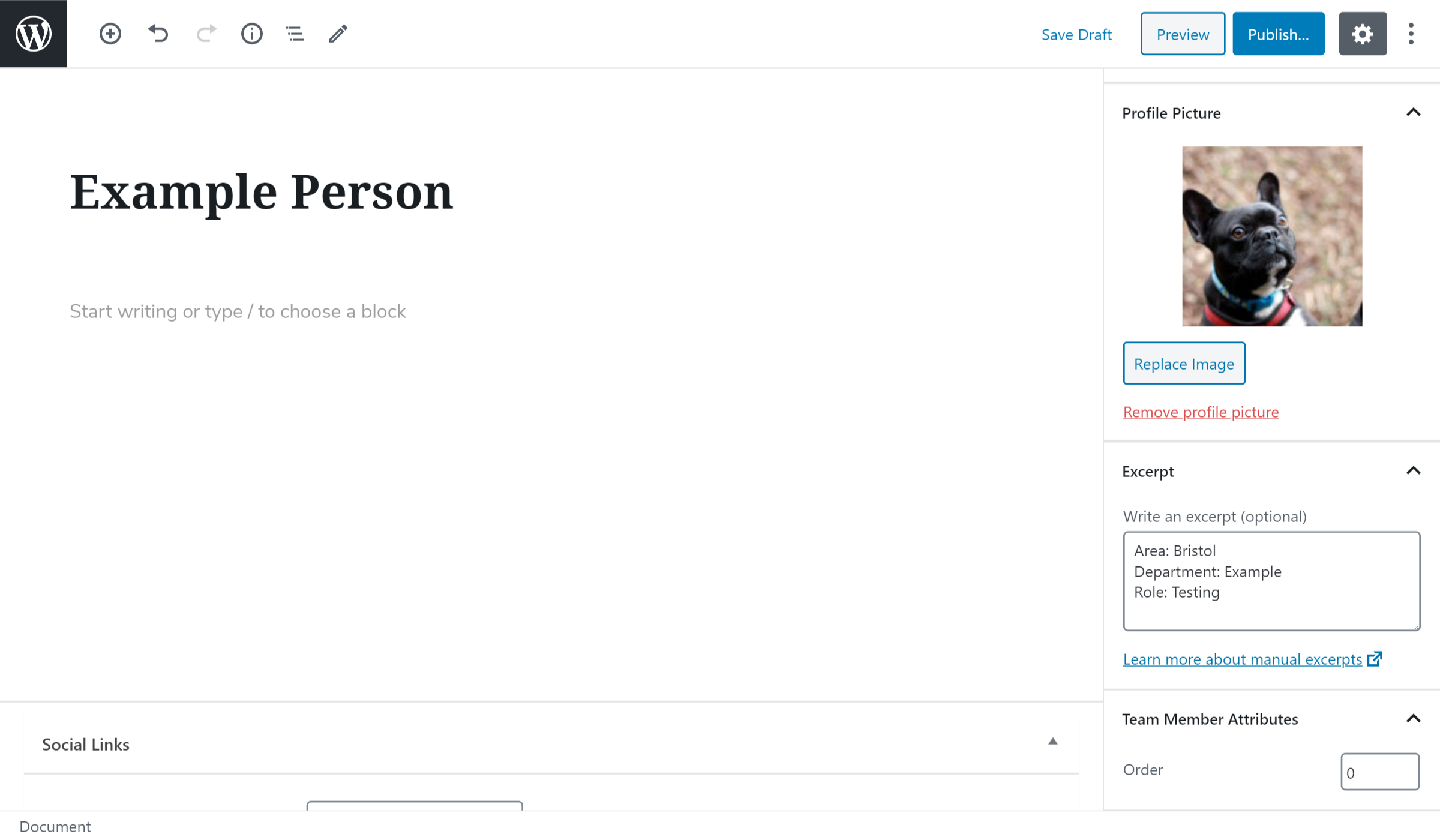
The fields in the Social Links section underneath the main text are not currently used.