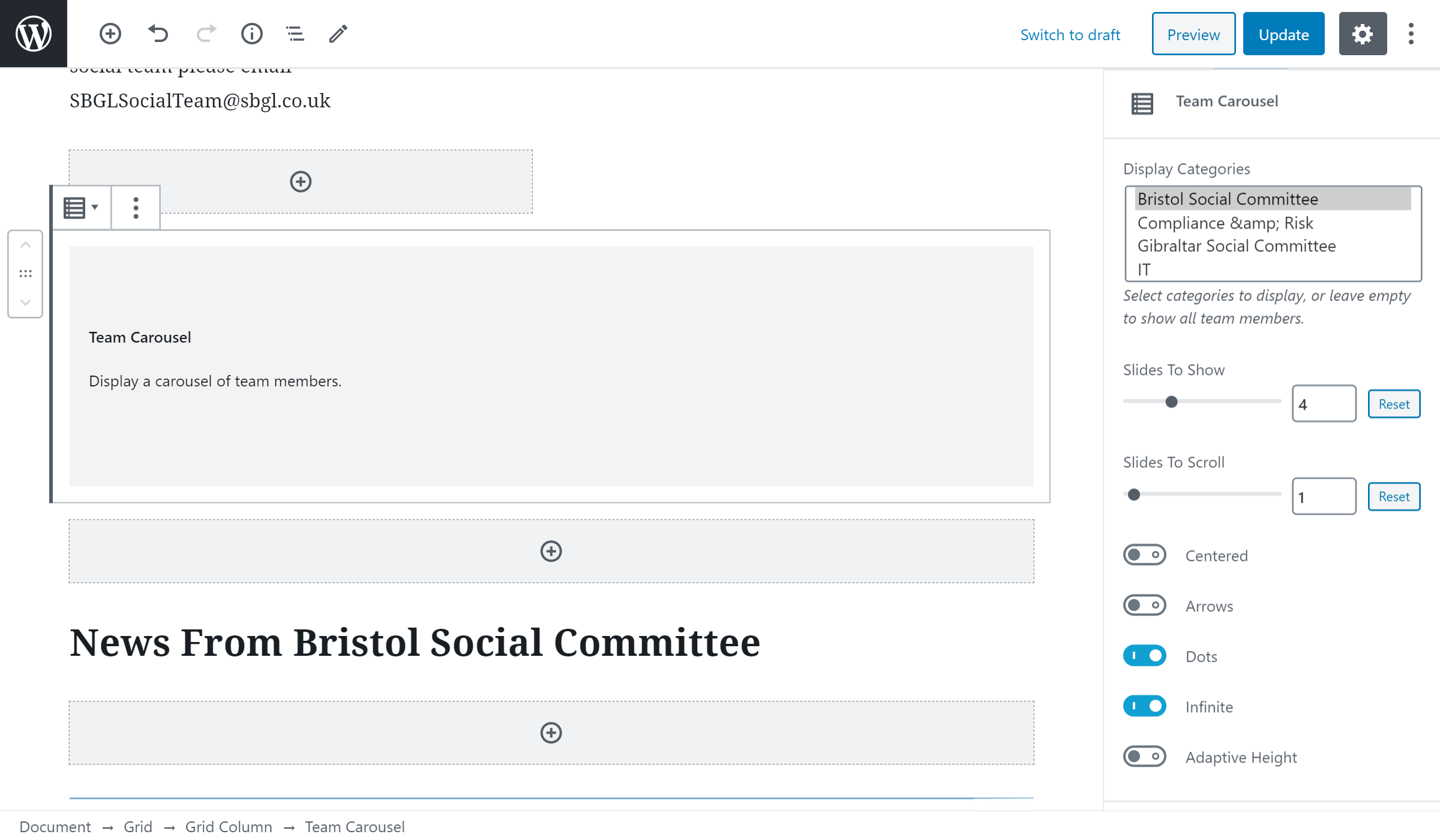
# Team member carousel
The Team Carousel block is used to display team member profiles. By default, all profiles are shown, however this can be filtered by category.
# Adding the block to a page
- Add or edit a page that uses the Gutenberg editor (e.g. Page or Post)
- Click to add a Gutenberg block (more on how to add a Gutenberg block can be found here)
- Find the block with the name Team Carousel and click to add it
# Filtering members by category
- Select the Team Carousel block
- Select the category or categories in the Display Categories section in the sidebar
- Use Ctrl-Click to select multiple categories.
- Save your changes