# Vacancies
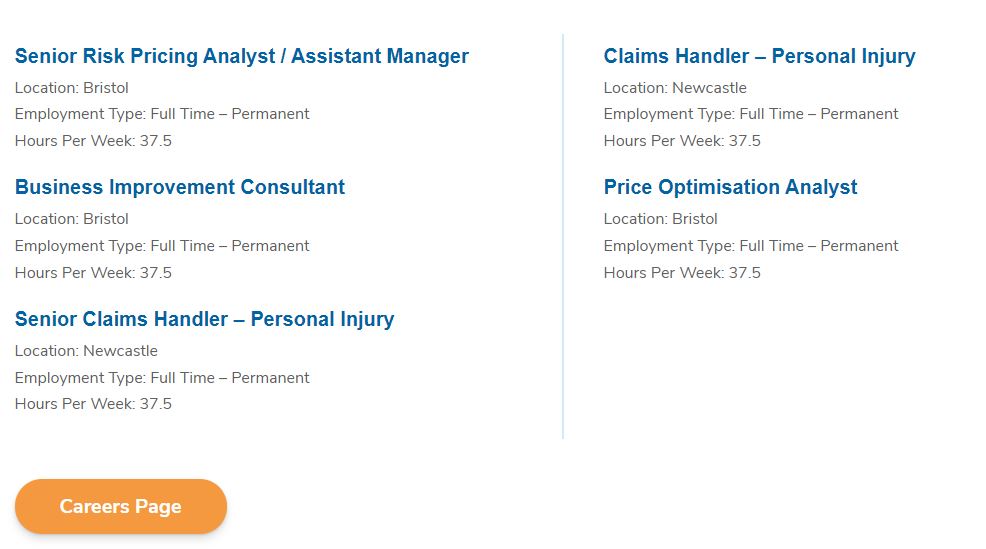
Vacancies is a custom block that integrates with the Harbour ATS jobs feed and returns information and links about the most recent job ads.
The output of this block is shown below.
# Adding the block to a page
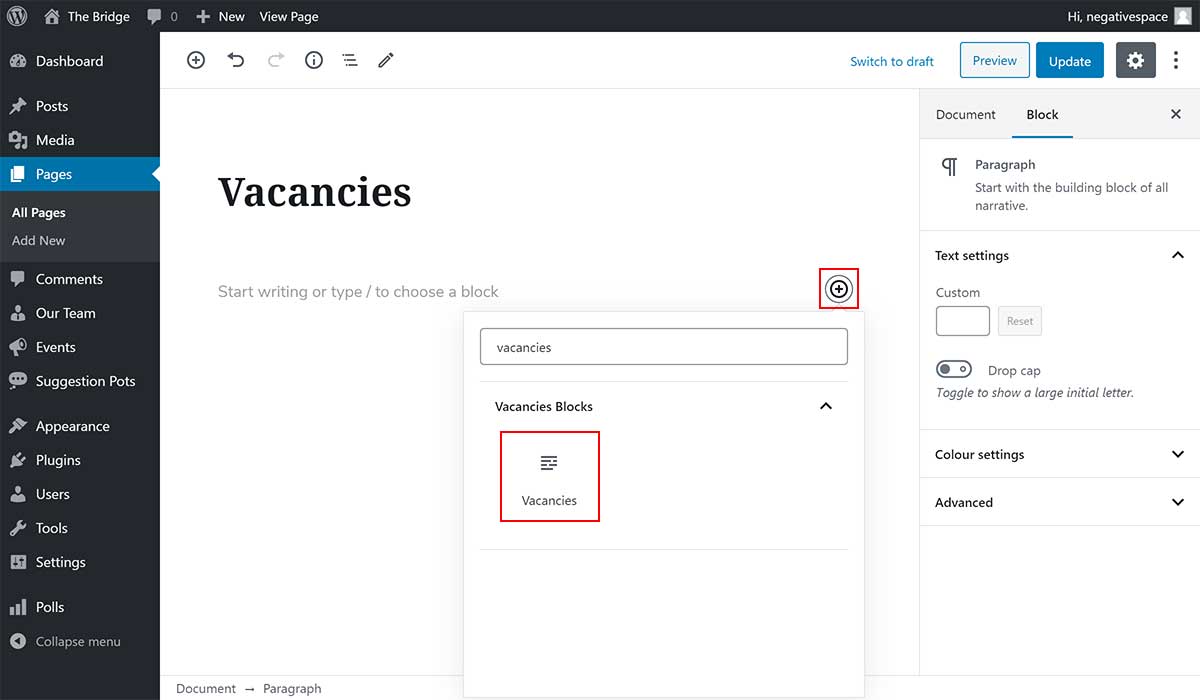
To add a Vacancies block:
- Add or edit a page that uses the Gutenberg editor (e.g. Page or Post)
- Click to add a Gutenberg block (more on how to add a Gutenberg block can be found here)
- Find the block with the name Vacancies (highlighted below) and,
- Click on it to add it
# Configuring the block
# Block settings
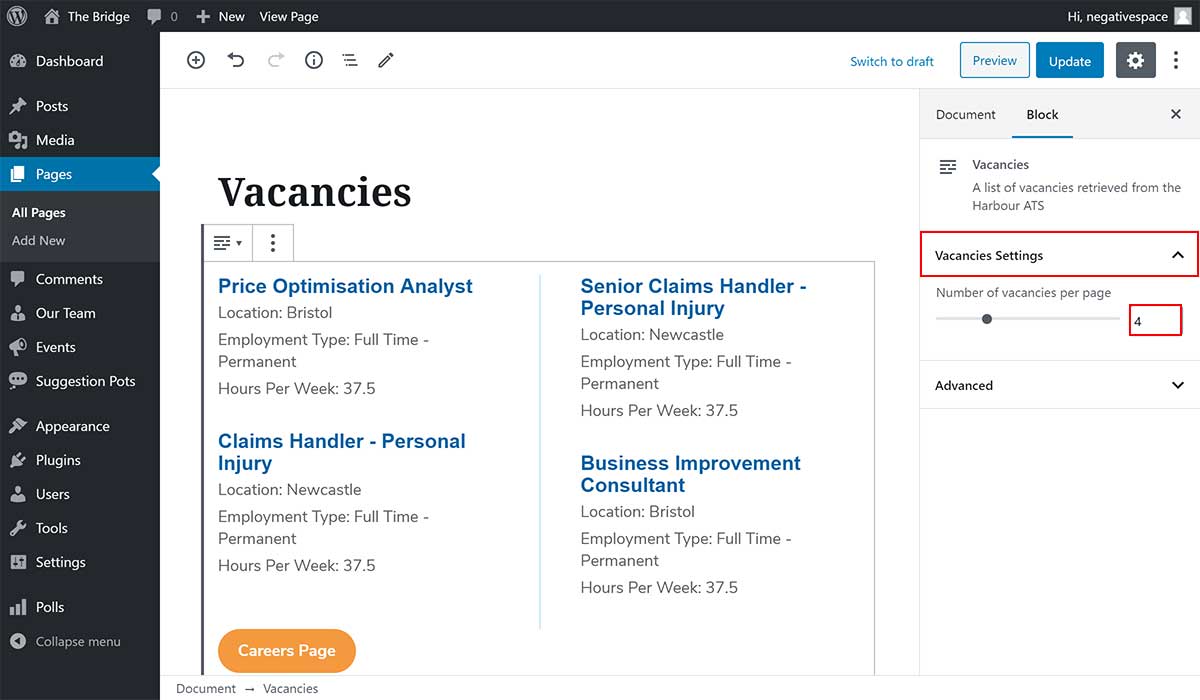
Once you add the block, you will be able to change how many vacancies to show per page, by:
- Selecting the Vacancies block
- Expanding the Vacancies Settings dropdown (highlighted below)
- Selecting the number of vacancies per page by either using the slider or by setting the number in the field highlighted below
# Vacancies settings
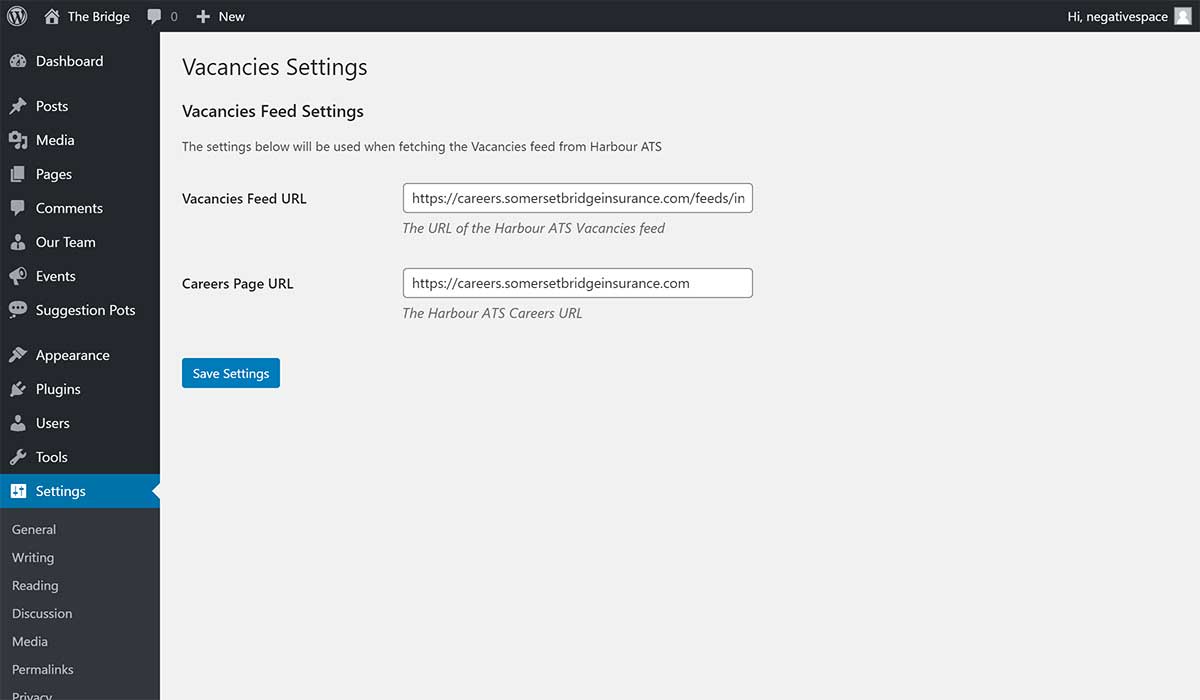
Additional settings for the Vacancies can be found in the sidebar admin menu, under Settings > Vacancies as shown below.
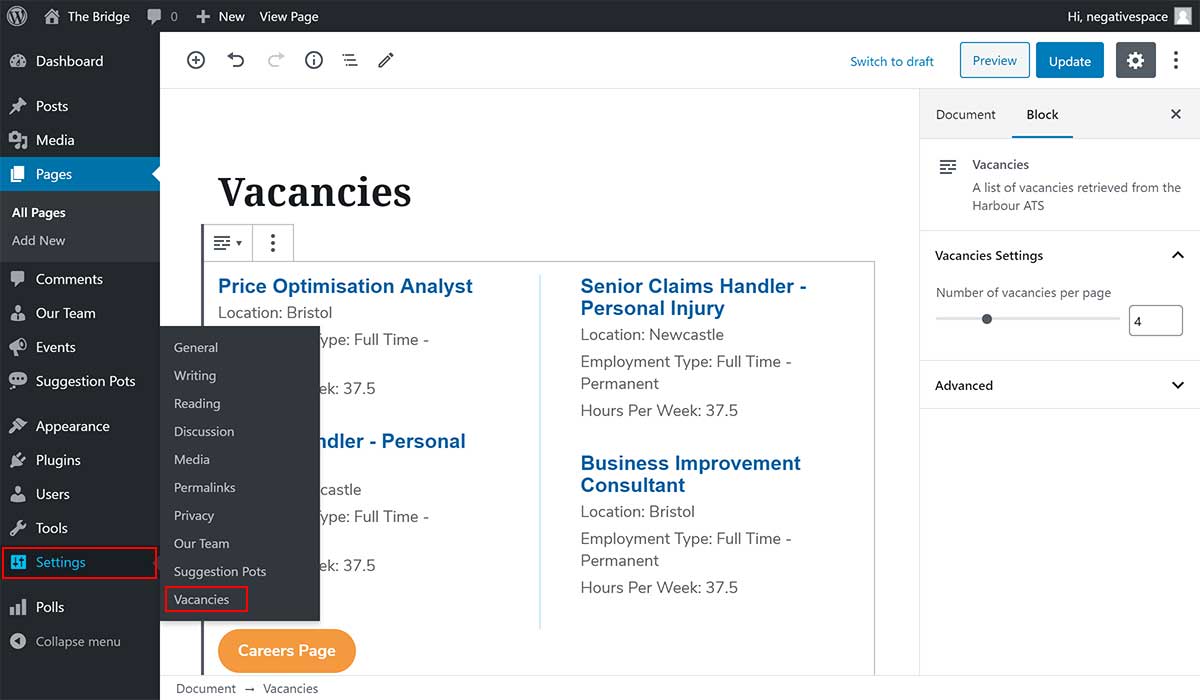
On the Vacancies settings page you will be able to change the:
- Vacancies Feed URL, which is URL of the XML feed provided by Harbour ATS
- Careers Page URL, which is the URL used for the Careers Page button