# Suggestion Pot Buttons
Suggestion Pot buttons is a block that displays a group of Suggestion Pot buttons grouped by their category, e.g. "Business advancement pots".
To add a Suggestion Pot Buttons block:
- Add or edit a page that uses the Gutenberg editor (e.g. Page or Post)
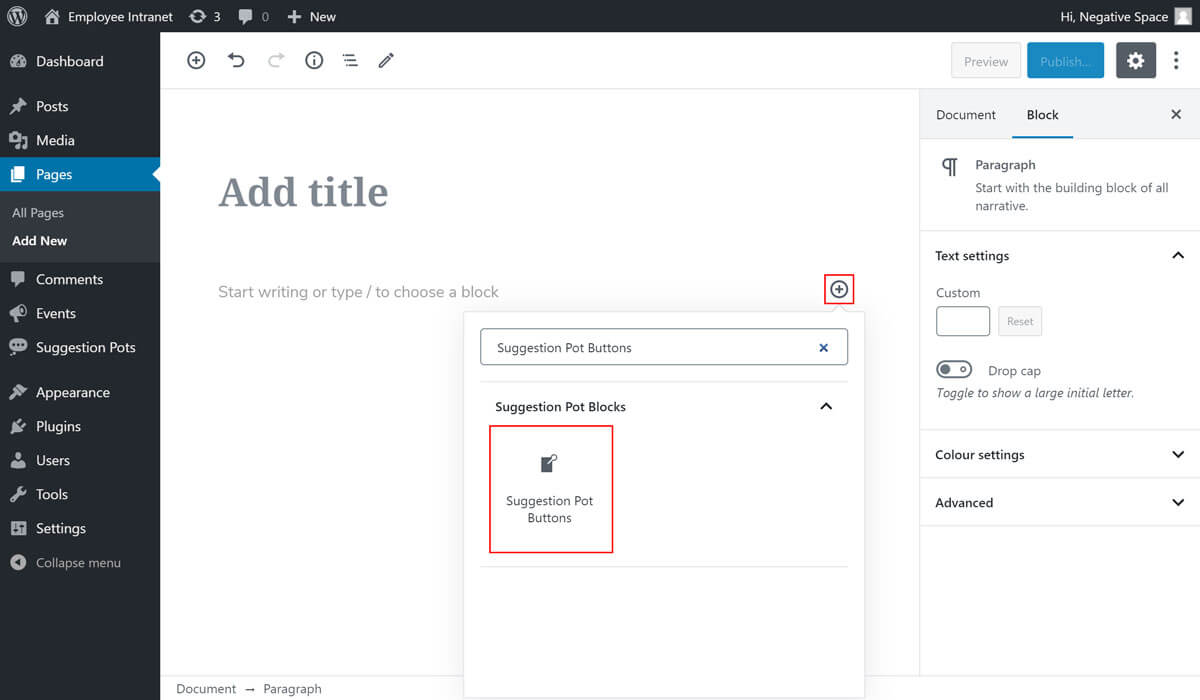
- Click to add a Gutenberg block (more on how to add a Gutenberg block can be found here)
- Find and select the block with the name Suggestion Pot Buttons (highlighted below)
- Select a category to show Suggestion Pots for (highlighted below)
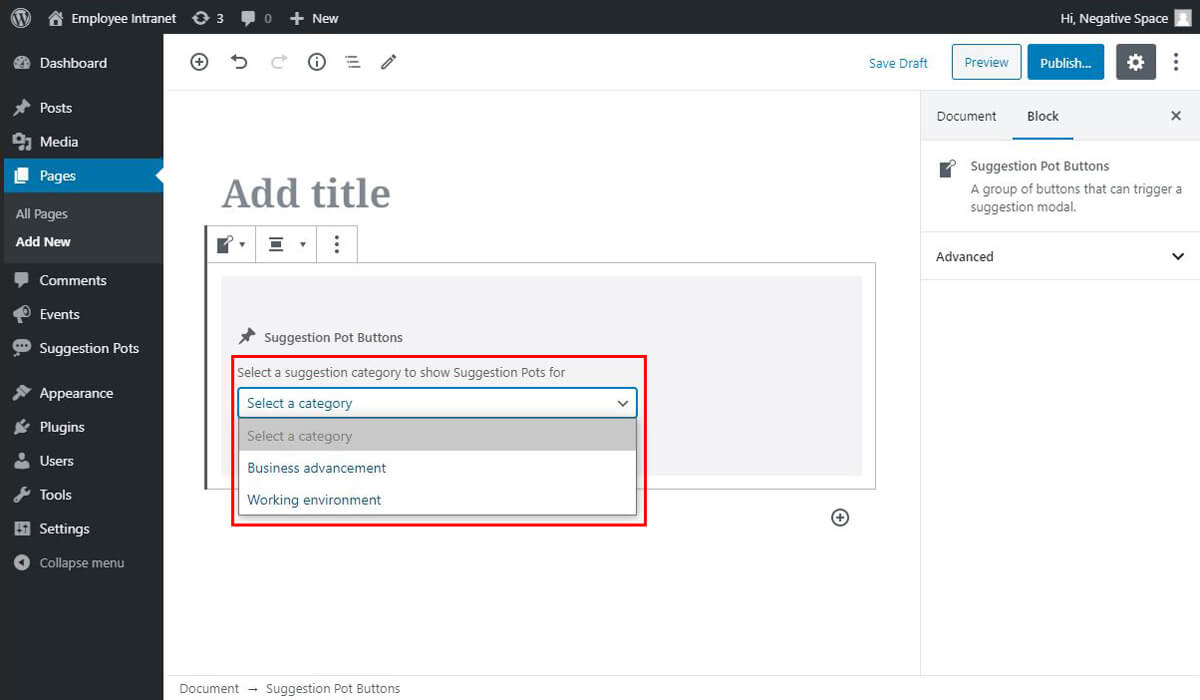
If you've created Suggestion Pots with the category "Business advancement" and then proceed to add a Suggestion Pot Buttons block for the category "Business advancement", then this would result to the following block (as per the Phase 1 design):