
# Hero video
Hero video is a block that can be used to create a full width video background section that can have nested Gutenberg blocks (e.g. search bar).
To add a Hero video block:
- Add or edit a page that uses the Gutenberg editor[1] (e.g. Page or Post)
- Click to add a Gutenberg block (more on how to add a Gutenberg block can be found here)
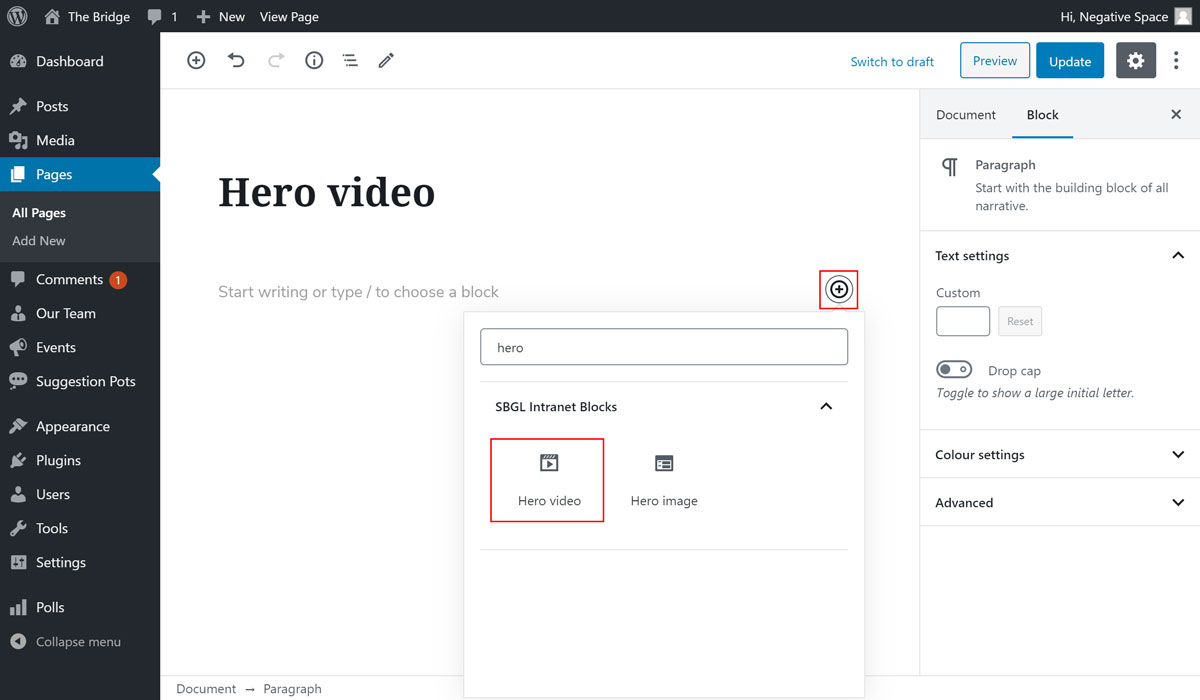
- Find the block with the name Hero video (highlighted below) and,
- Click on it to add it
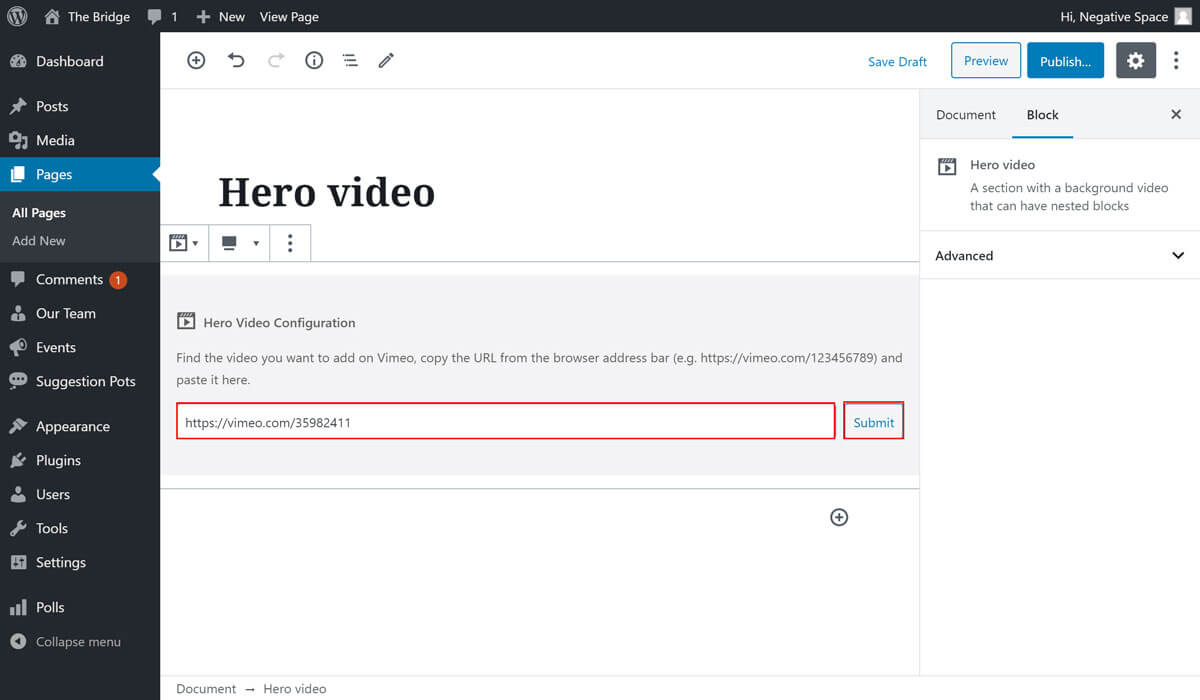
Once you add the block you will be prompted to add a Vimeo URL, which you can get by viewing a video on Vimeo and copying the URL that is in the address bar (example URL: https://vimeo.com/35982411). To save the URL click on the Submit button highlighted below.
Furthermore, the hero video block shares similar configuration options to the hero image block, which allow you to:
- Add a white overlay on top of your video
- Set an aspect ratio for your video
- Add a block on top of hero video
[1]: To achieve the full width video shown in the designs, make sure that you add this block to a Page with the template set to Full width (In Page Attributes under the Document tab).
← Hero image Icon text →