
# Hero image
Hero image is a block that can be used to create a full width image background section that can have nested Gutenberg blocks (e.g. search bar).
An example hero image is shown below.

To add a Hero image block:
- Add or edit a page that uses the Gutenberg editor[1] (e.g. Page or Post)
- Click to add a Gutenberg block (more on how to add a Gutenberg block can be found here)
- Find the block with the name Hero image (highlighted below) and,
- Click on it to add it
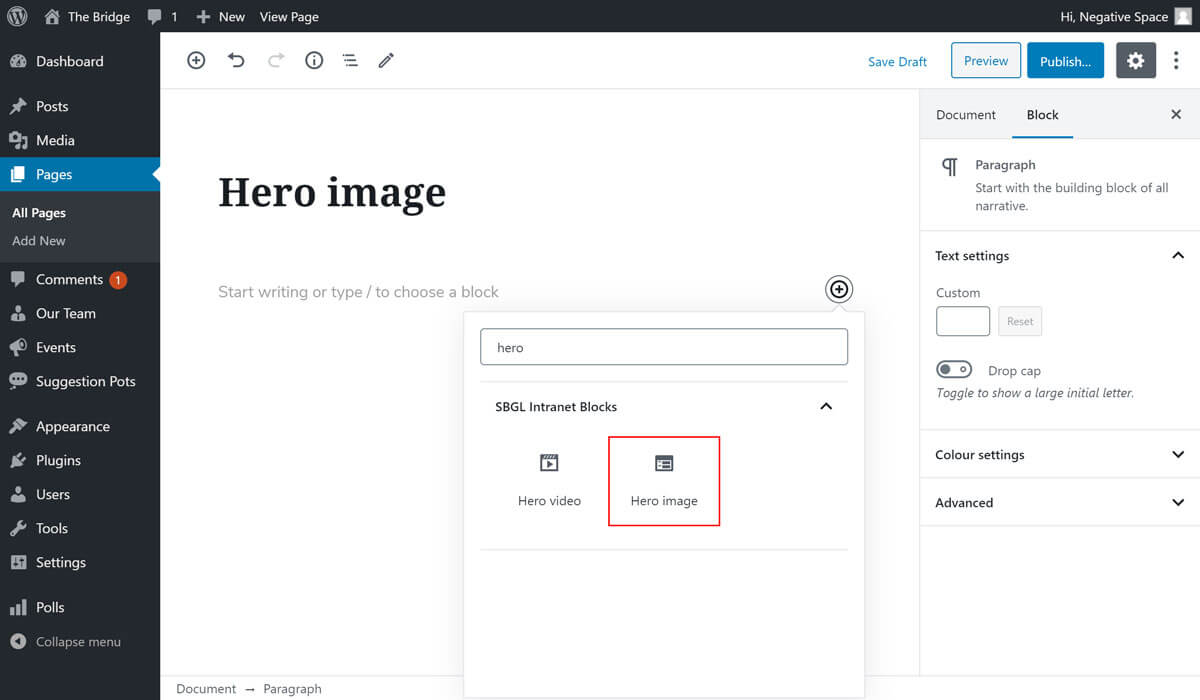
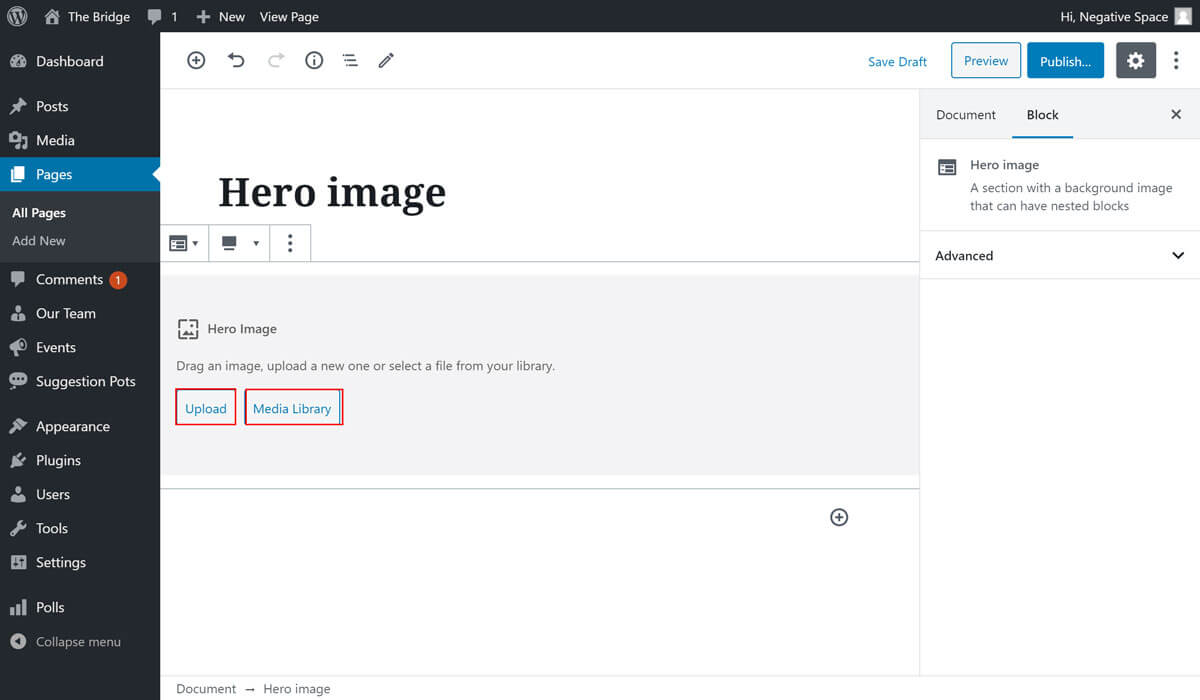
Once you add the block you will be prompted to add an image. You can choose to upload a new image using the Upload button highlighted below or use an existing image by clicking on the Media Uploader button highlighted below.
# Overlay
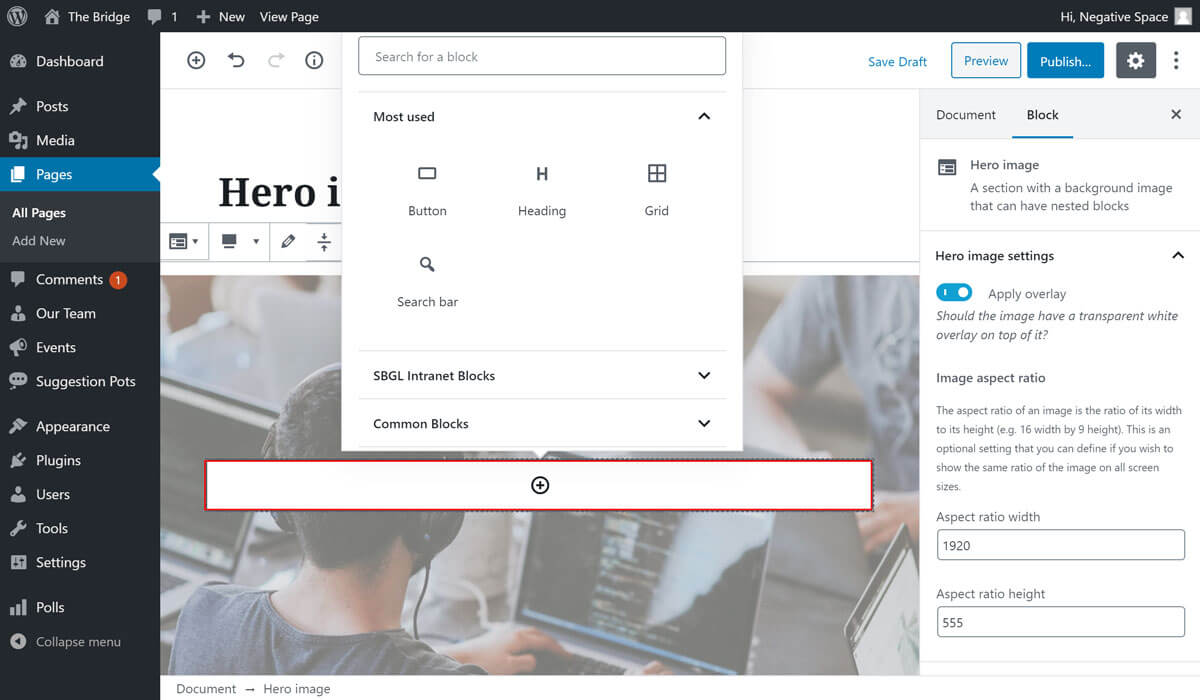
Once you have an image in place you will have the option to apply a white overlay on top of it, which you can enable by expanding the Hero image settings dropdown (highlighted below) and checking the Apply overlay toggle.

# Aspect ratio
Additionally, in the same Hero image settings dropdown, you can set an aspect ratio for the hero image by filling in the Aspect ratio width and Aspect ratio height fields highlighted below. An aspect ratio will ensure that the image resizes across different screen sizes (mobile, tablet, desktop) proportionally. An image ratio that works well for this theme is 7 (width) by 2 (height). If you need to be more specific about the ratio, simply measure the width and the height of the hero section in the design that you're trying to replicate and use it for the ratio width and height (e.g. 1920 width by 555 height).

# Add inner block
If you wish to add a block within the hero image, simply click on the plus button highlighted below and select the block that you wish to add.
[1]: To achieve the full width image shown in the designs, make sure that you add this block to a Page with the template set to Full width (In Page Attributes under the Document tab).
← Grid Hero video →