
# Call to action
This is a custom block that displays a title, some text and an optional button (link) in an orange background as shown below.

# Adding the block to a page
To add a Call to action (CTA) block:
- Add or edit a page that uses the Gutenberg editor (e.g. Page or Post)
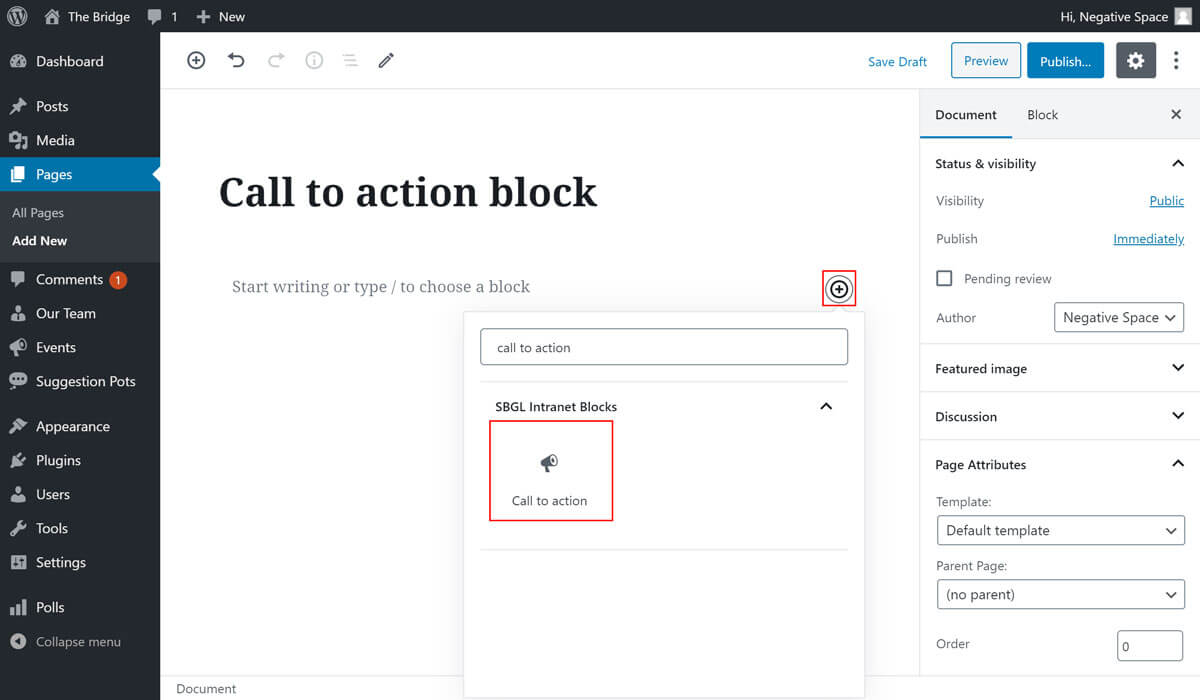
- Click to add a Gutenberg block (more on how to add a Gutenberg block can be found here)
- Find the block with the name Call to action (highlighted below)
- Click on it to add it
# Adding content
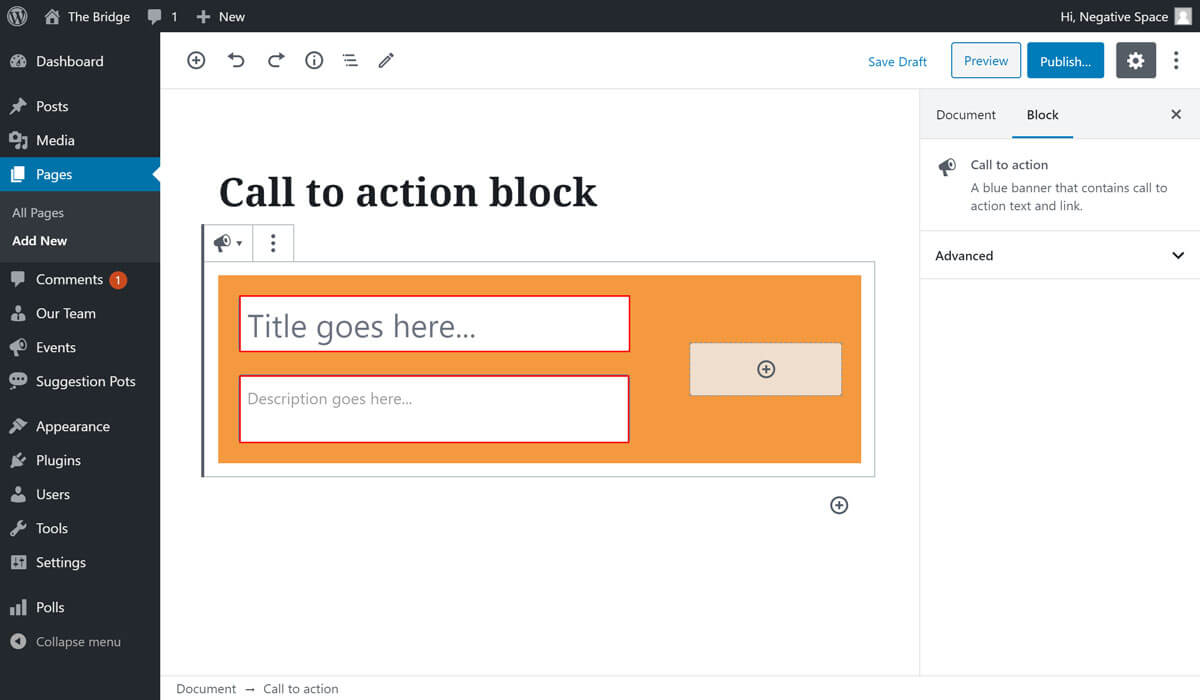
To add a title and description, simply fill in the fields highlighted below.
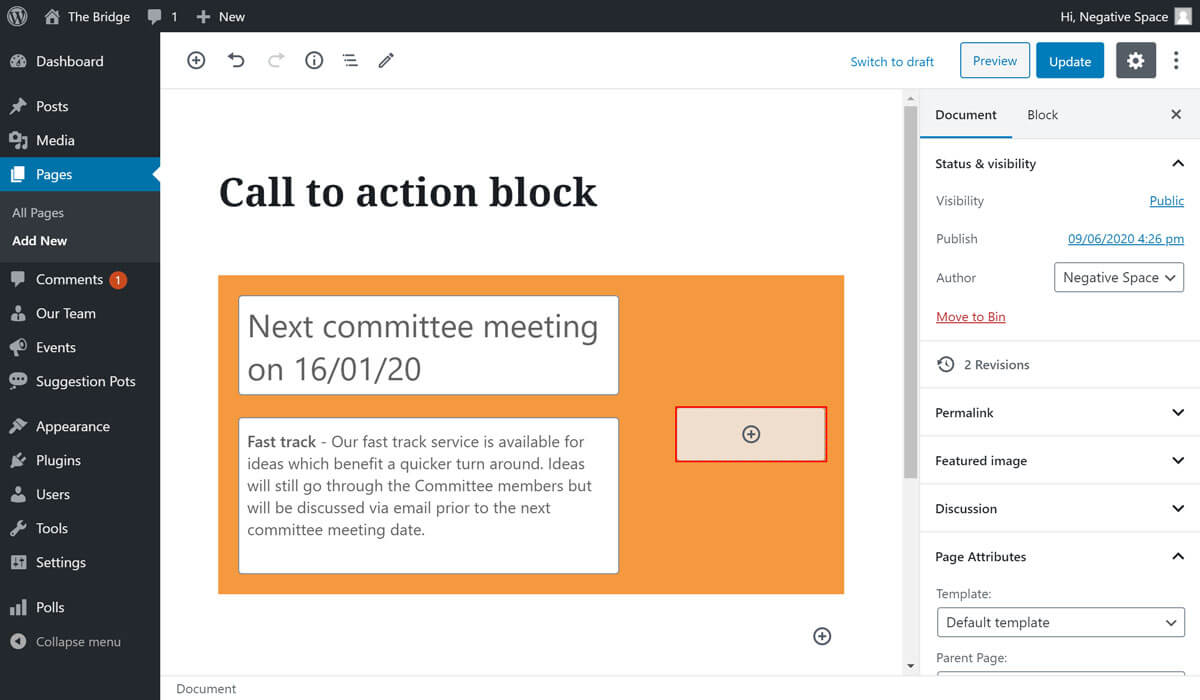
To add a button link click on the plus button that is highlighted below.
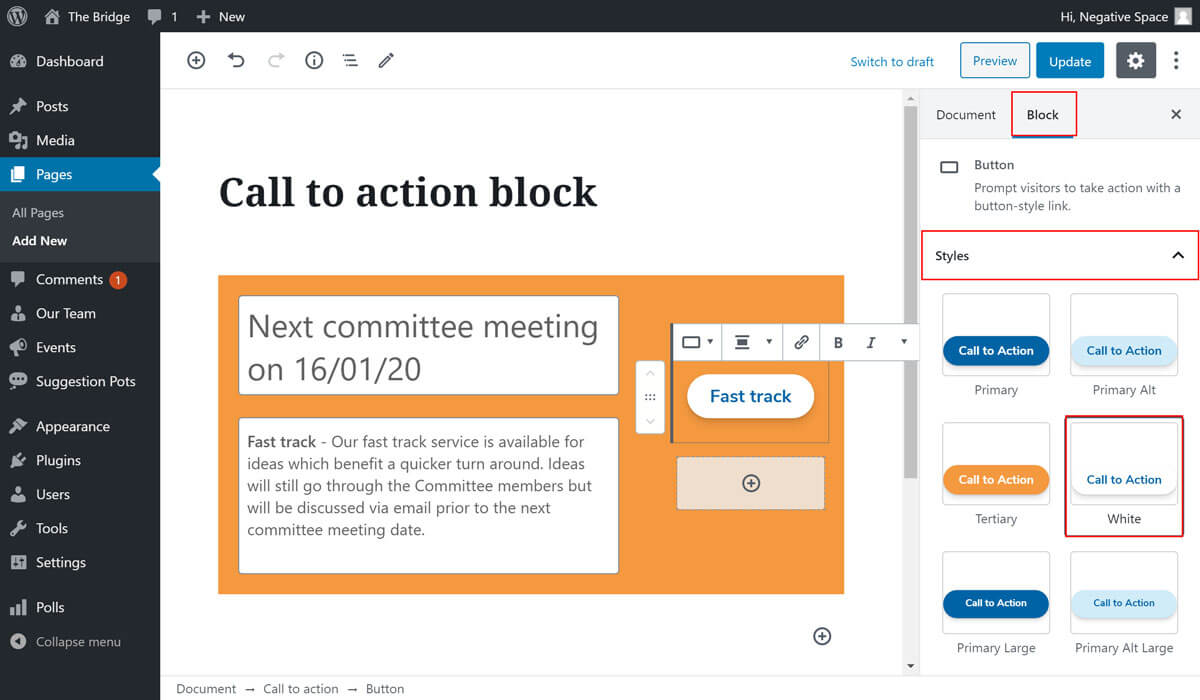
You can choose a button style from the ones predefined by the theme, by expanding the Styles dropdown under the Block tab as highlighted below.
# Chaging the background colour
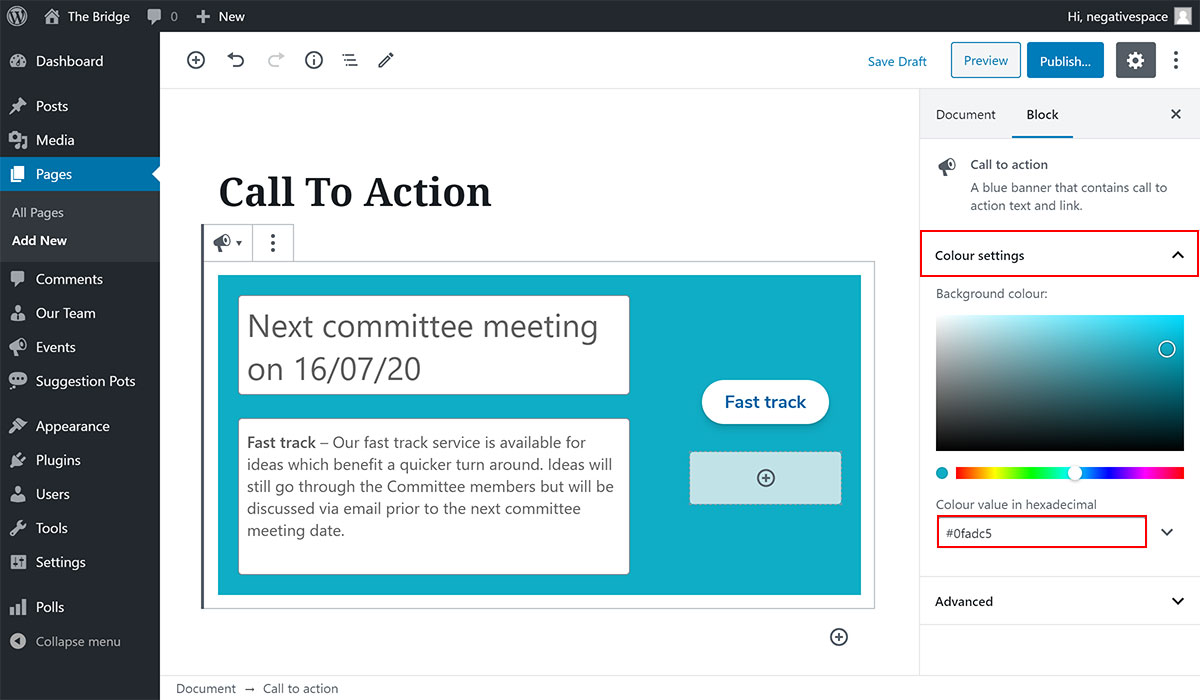
As of Phase 2 of the Intranet, you can customise the background colour of the Call To Action block. To do that, simply:
- Select the Call To Action block
- Expand the Colour settings dropdown (highlighted below)
- Select a colour by either using the colour picker or by typing the hexadecimal value in the field highlighted below
Once you finished configuring your block, click on Update or Publish to save your changes.