
# Suggestion categories
The Suggestion Pot Buttons that are shown on the Staff Voice page are split into pots that are categorised as "Business advancement pots" and as "Working environment pots". These categories are completely custom and can be selected when adding/editing a Suggestion Pot (more about adding a Suggestion Pot can be found here).
# Creating a new Suggestion Pot category
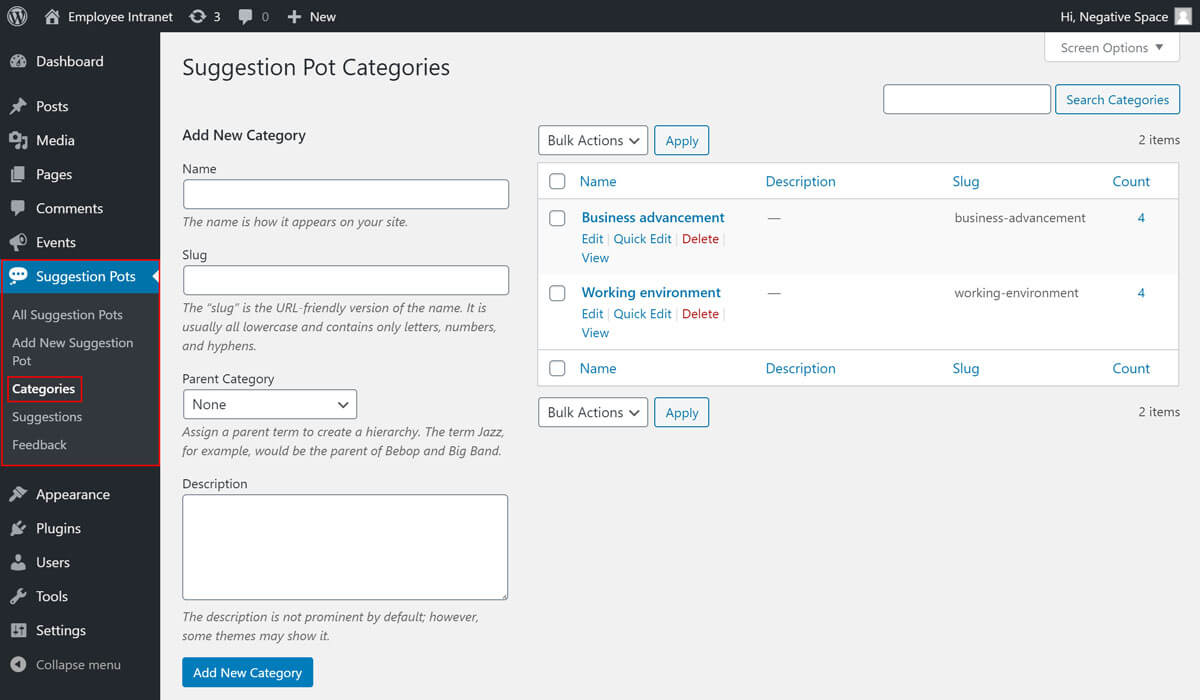
To create a new category:
- Click the Suggestion Pots tab in the sidebar admin menu
- Click the Categories sub-tab
- Fill in the Name field
- Click on Add New Category
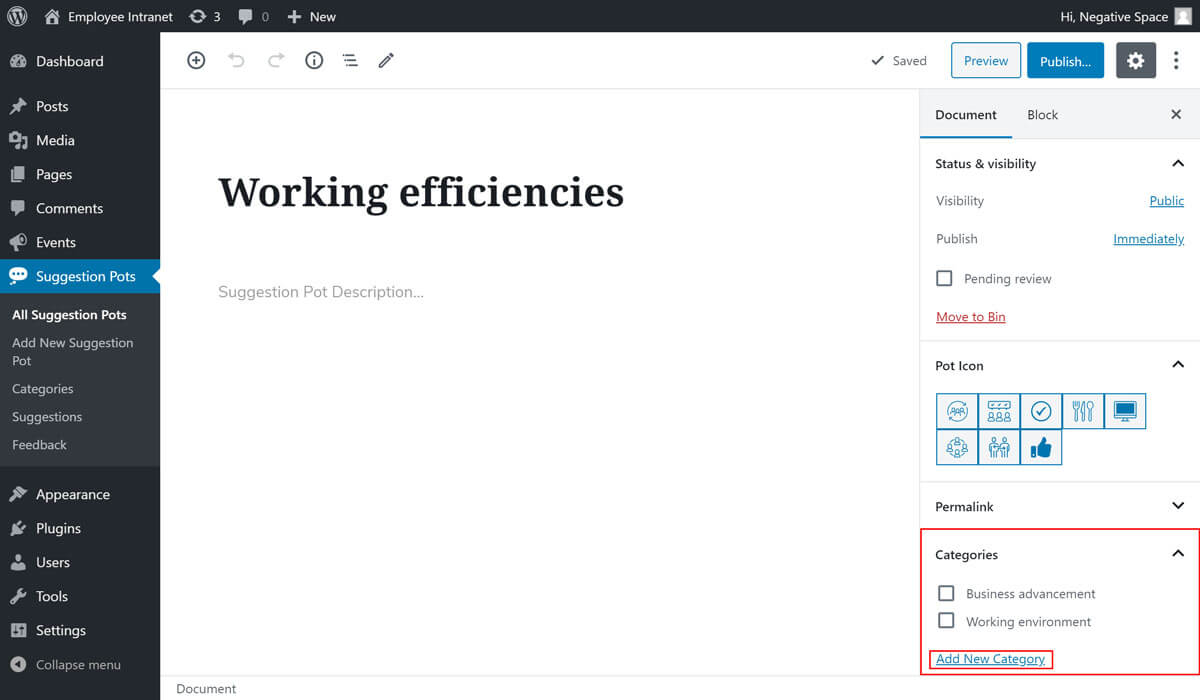
Alternatively, you can add a new category while editing a Suggestion Pot as highlighted below.
# Editing a Suggestion Pot category
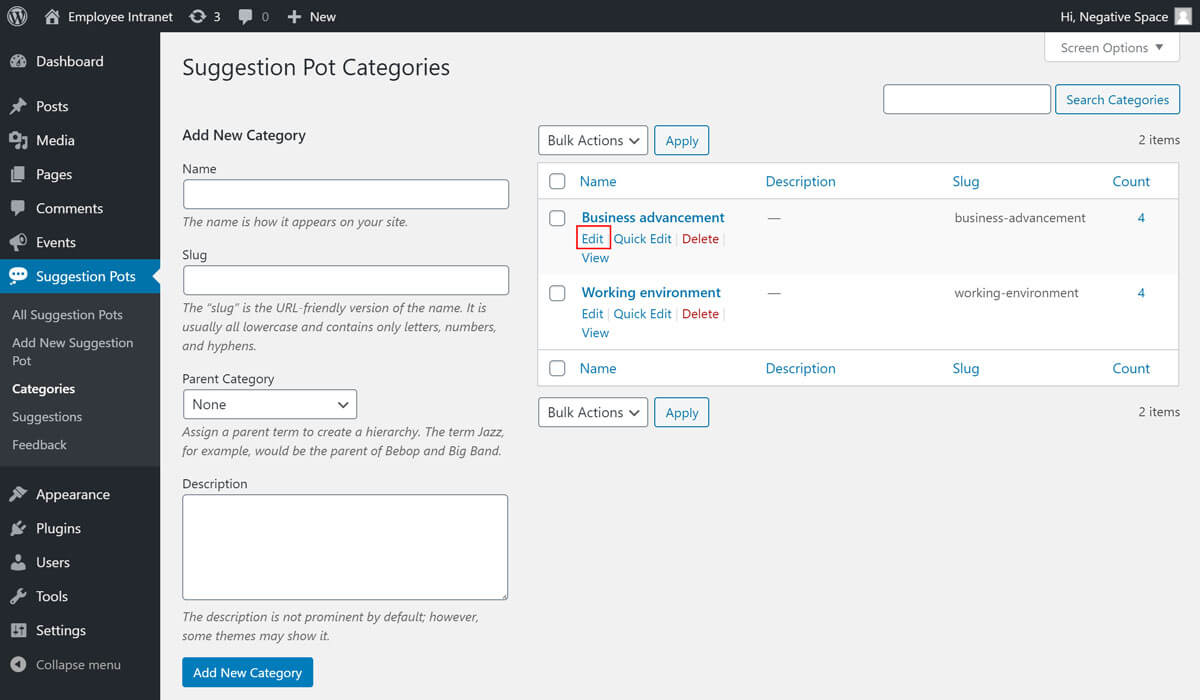
To edit a category:
- Click the Suggestion Pots tab in the sidebar admin menu
- Click the Categories sub-tab
- Click on Edit for the category you want to change
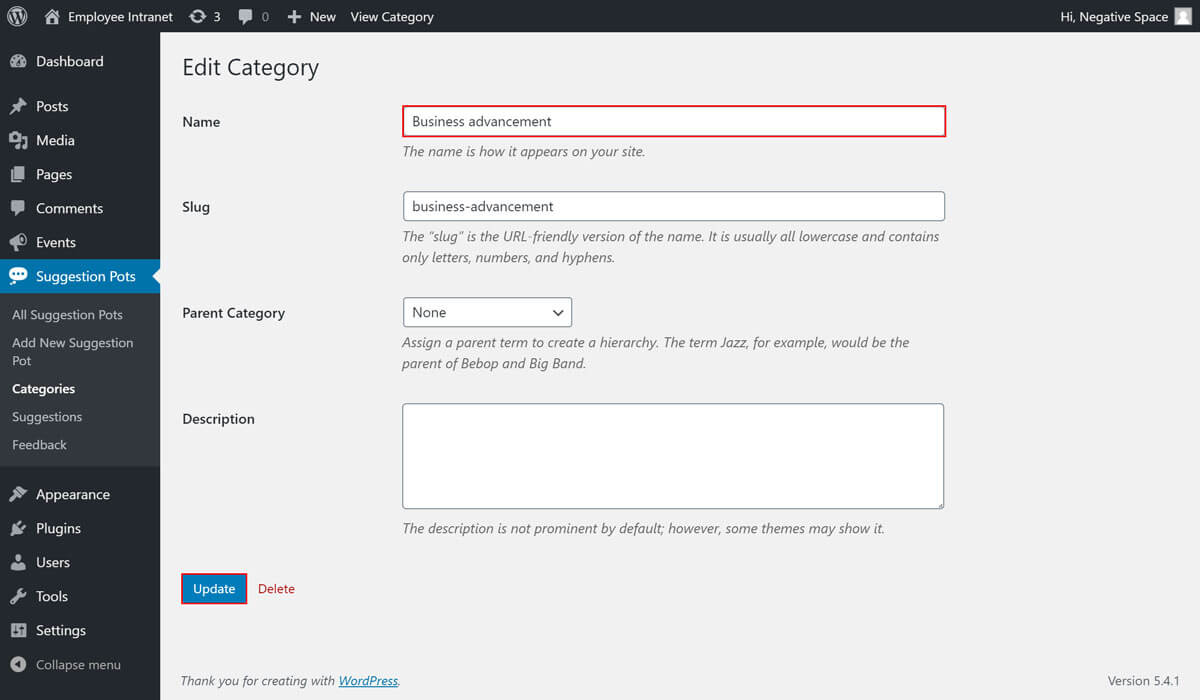
- Change the name of the category and click on Update to save your changes.
# Selecting a Suggestion Pot category
As shown in the Adding a Suggestion Pot guide, you can select a Suggestion Pot category when adding or editing a Suggestion Pot by ticking the category's checkbox in the Categories dropdown.