
# Adding a poll
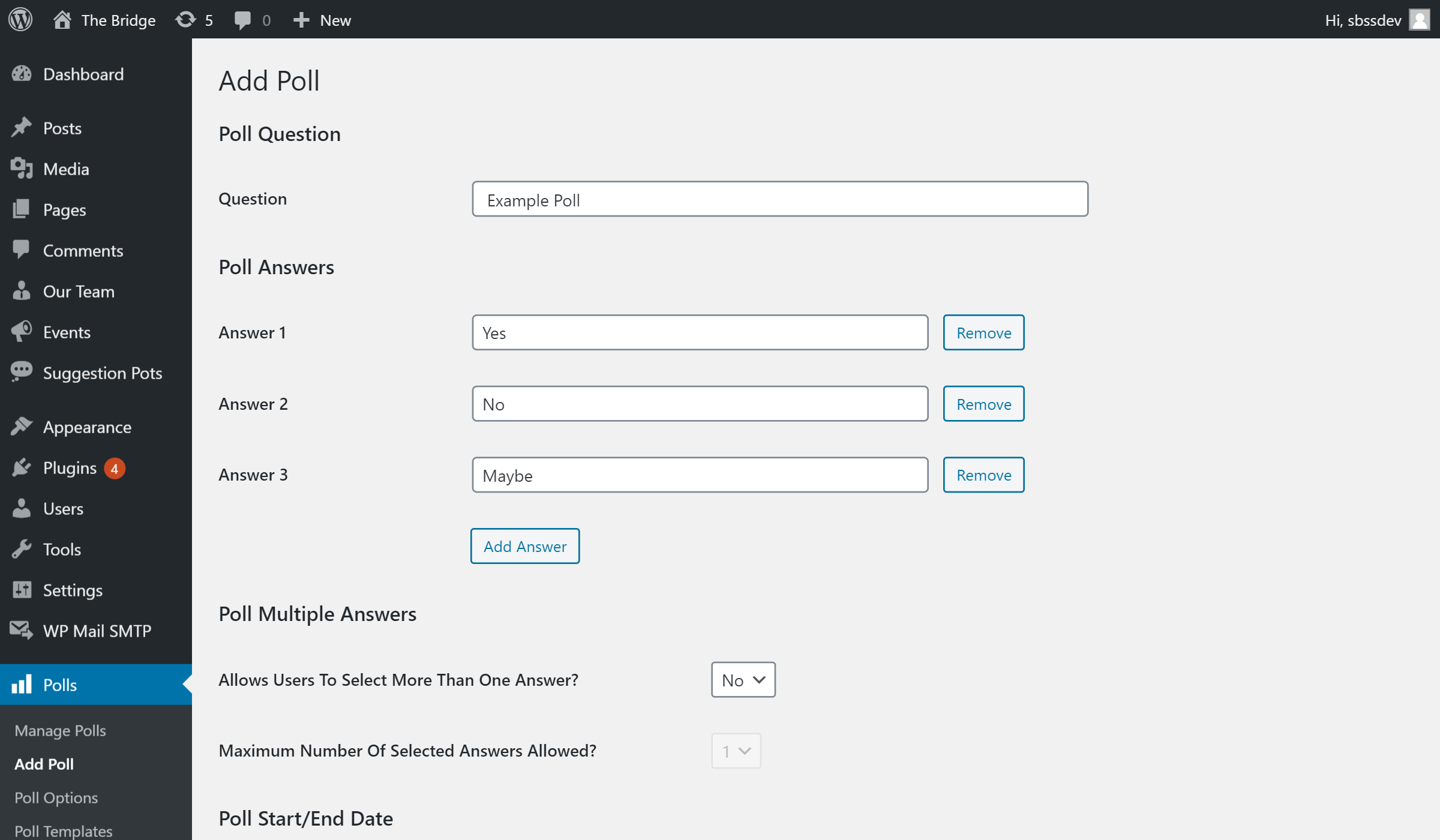
To create a poll:
- Hover over the Polls tab (near the bottom)
- Click Add Poll
- Enter the poll question (also used as the title)
- Enter possible answers
- Additional answers can be added using the Add Answer button
- Set an expiry date (if applicable)
- Polls will automatically be closed once the expiry date is reached
- Polls can be closed manually
- Click the Add Poll button to save
Polls functionality is provided by a third party plugin.