
# Gutenberg editor
The WordPress Editor is a new publishing experience. You can use it to create media-rich pages and posts and to control their layout with ease. Instead of worrying about the alignment and organisation of text, quotes, and images, every element on a post or page has its own block — and you can focus on creating.
Move, edit, and customise each block, and the editor will display visual elements the way they'll look on your actual site. You can confirm that via the Preview button before you hit Publish.
# Adding a block
To add a block, click on the plus button highlighted in the picture below
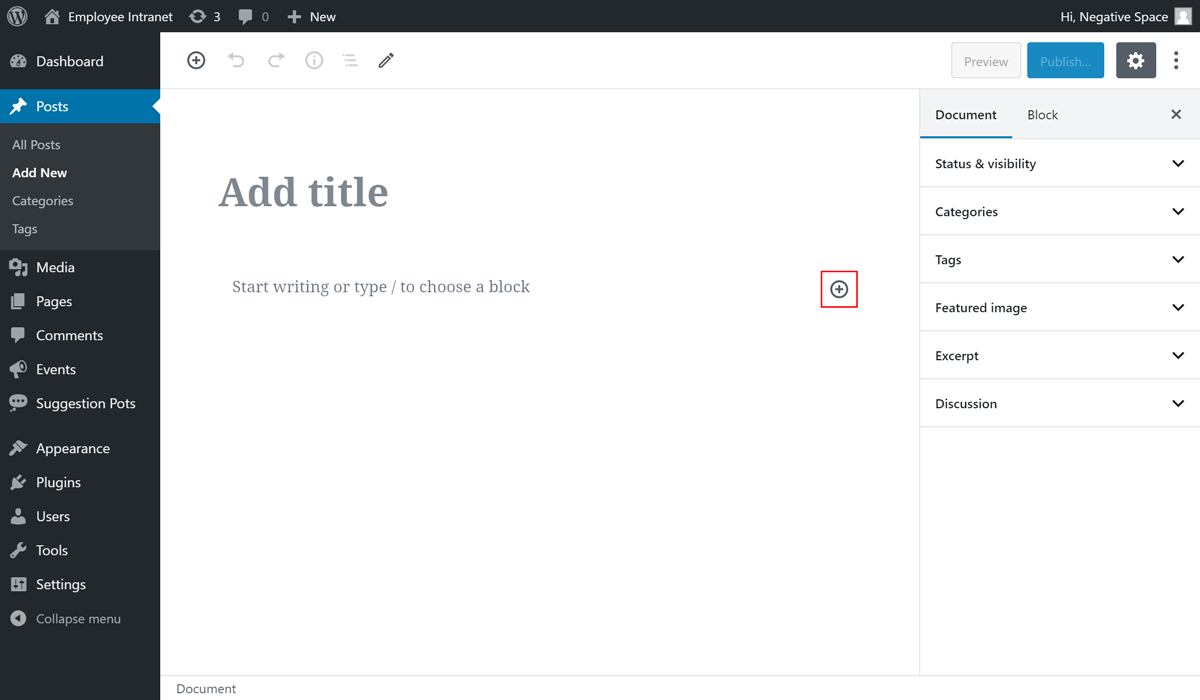
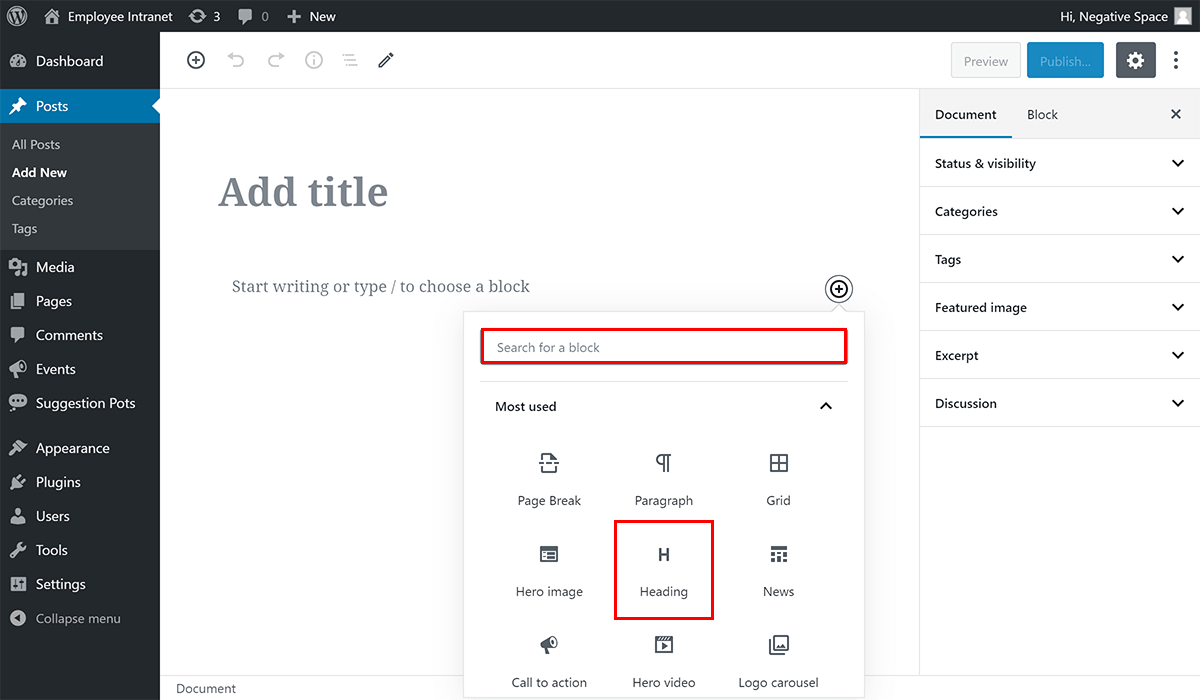
and then click on the block you wish to add (e.g. Heading - highlighted below). You can find a specific block by using the search bar - highlighted below.
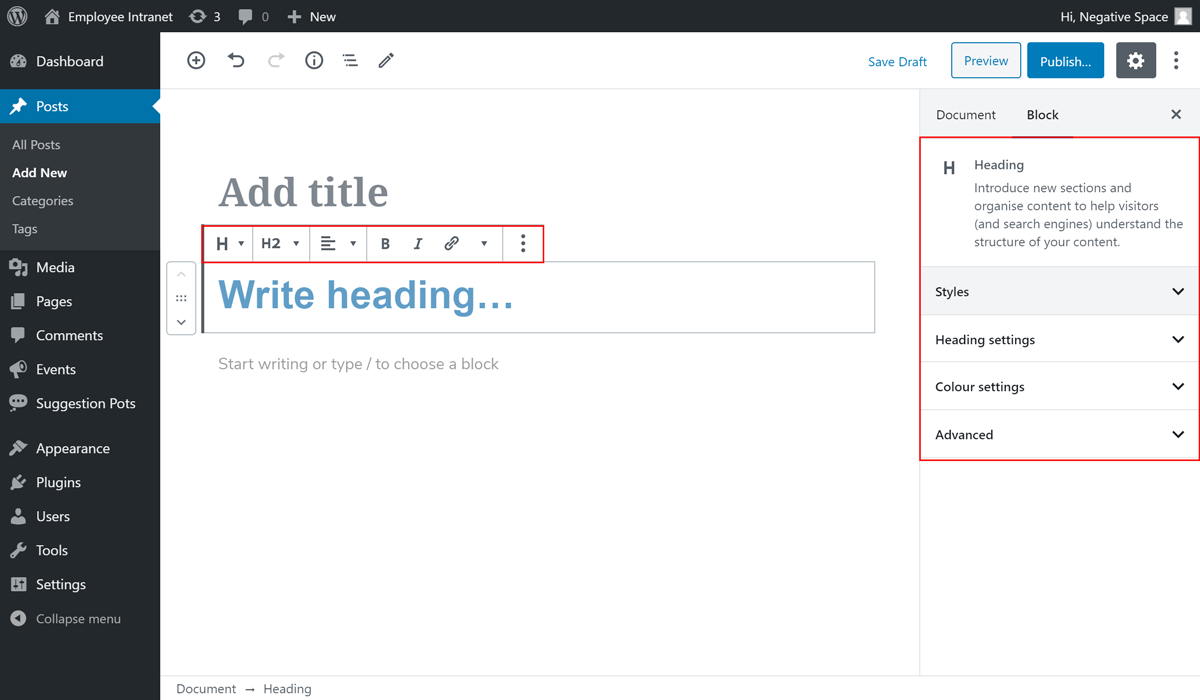
Once you've selected a block, you should be able to configure the options specific to this block, located at the top of the block and in the sidebar under the Block tab.
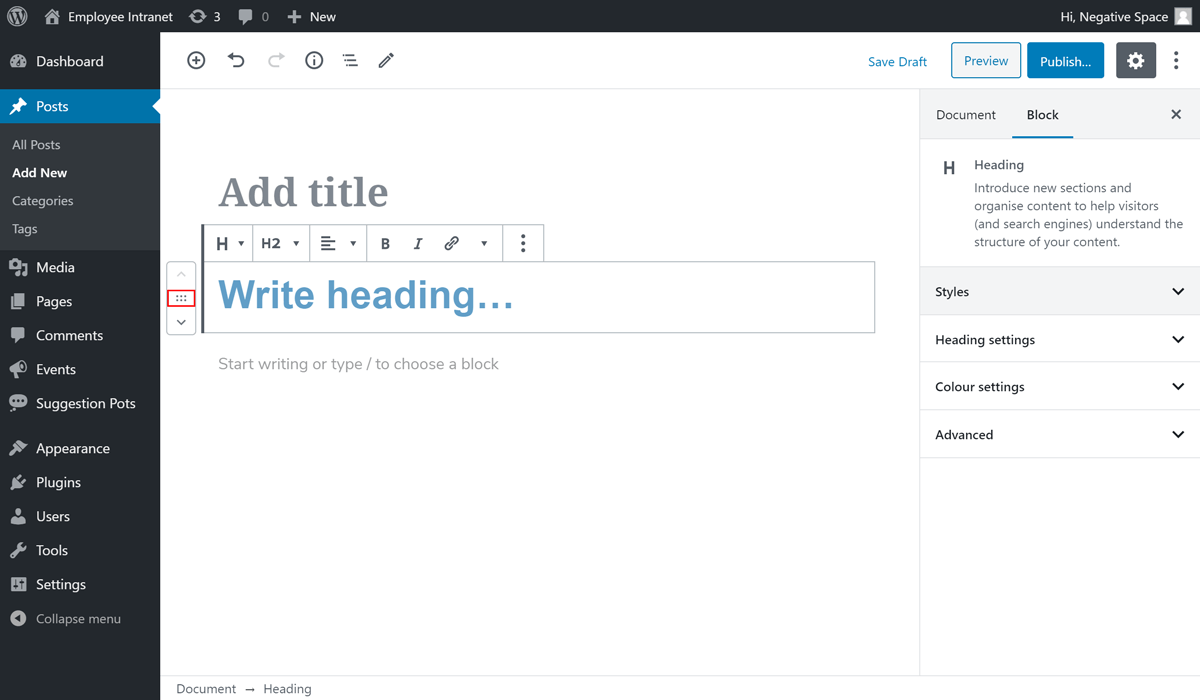
If you have more that one block, you can rearrange their order by dragging the icon highlighted below or by clicking on the up/down buttons for that block.
Check the official documentation to find out more information about the blocks that come by default with WordPress.